Modules
Microsoft 365 Backup
VMware Backup
Hyper-V Backup
Windows Server & Desktop
Proxmox
macOS
Linux
QNAP & Synology NAS
Databases
Google Workspace
MSP Tools
Reseller Portal Login
Customer Portal Login
Cost Calculator
Create Reseller Account
Sales: 01225 699 576
Support & Docs
› Support for desktop and server
How to add contacts using the desktop software
Published: 23 June 2020
Updated: 4 March 2026
← Back to all articles
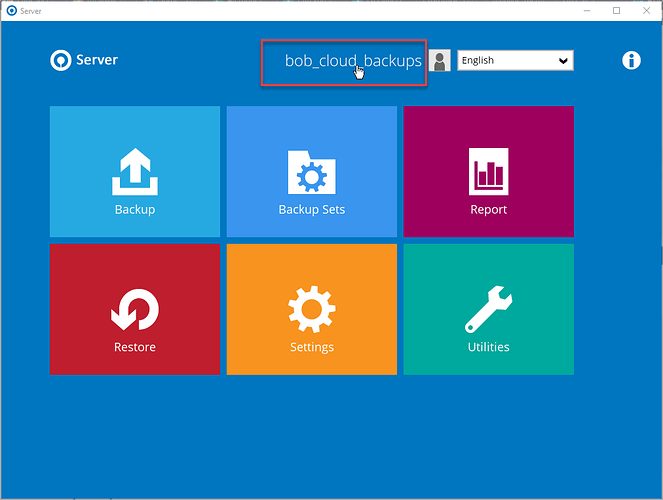
Open the desktop software on your device and click on account name at the top of the screen.
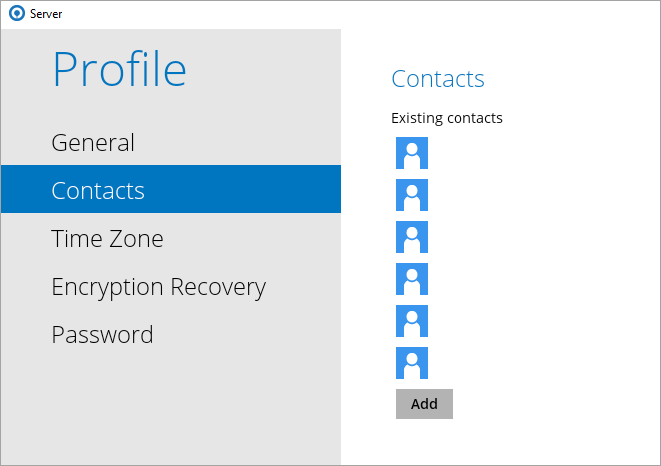
Click on Contacts, add your contacts and click on save