Take 2 seconds to harden our software on our server and prevent auto-login.
Log into our software
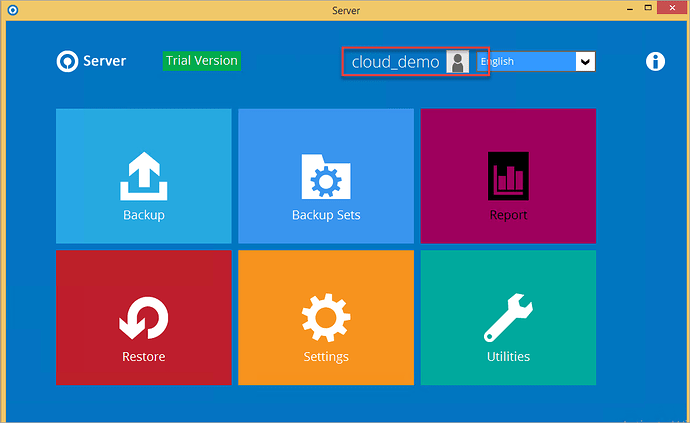
Click on the username at the top middle of the splash screen
Click on Password and then untick the Save password box
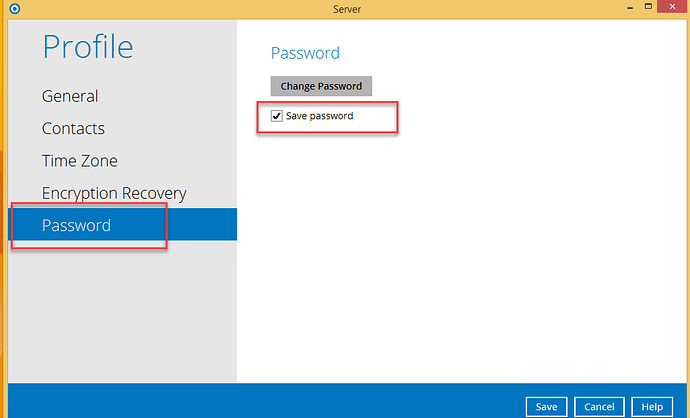
Save and Close the software.
The next time you login you will be prompted to enter your password. Don’t tick the Save password box.
No matter what happens on your customers’ device, the backup with BOBcloud is safe.