Overview
Server and Desktop backup accounts can become locked for various reasons.
Accounts normally unlock after 10 minutes.
Our system allows 3 invalid login attempts before an account is locked. Because a password is rarely entered wrongly 3 times in a row, we will look into why the account was locked if you report it to us.
How to find your encryption password
The only way we recommend storing login and encryption passwords is offline, on your premises. If your system is still running, you can read the encryption password for each backup set from the backup software:
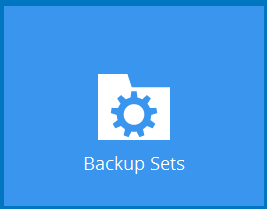
- Open the software on your device and select Backup Sets.
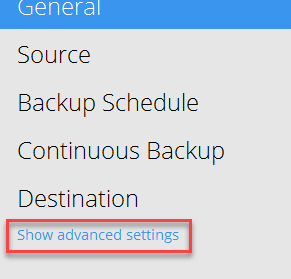
- Click the backup set, scroll down and click Show advanced settings.
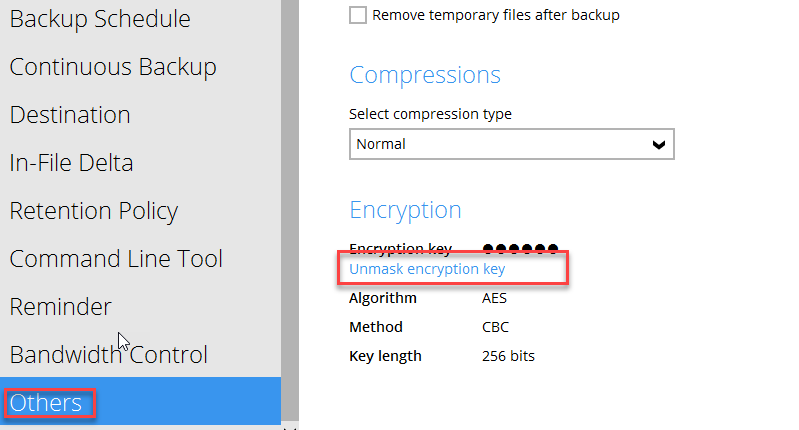
- Click Others, then Unmask encryption key.
Your account login password may be different from your encryption password. You chose both when you created the account and its backup sets. We recommend a manual login check (see below) and a test restore on every backup set.
How to test if you have the right login details
You can check your login details in the end customer portal (https://portal.bobcloud.net/customer_portal). Entering the wrong details there also counts towards locking the account.
Who locked the account?
If you don’t know why the account was locked, we can identify the IP address the invalid login attempts came from.
How to change a password or get further help
For security reasons, raise a ticket from the reseller account that owns the backup account, on your reseller account page.
On our shared service you can’t unlock an account or reset an account password yourself. This is available on our Service Provider service.
Note: resetting an account login password doesn’t change the encryption password needed to restore your data. We can never retrieve or reset an encryption password.