This article is for resellers who use their own hardware or cloud storage for backups. If you use a BOBcloud predefined destination, just delete the account in the portal and we take care of the rest.
Issue
If you delete a backup account or backup set in the reseller portal while it uses your own storage, the backed-up data is not deleted.
Cause
When a backup set uses your own storage (any storage other than our predefined destinations), the backup software uses your storage’s login details. That password is only stored in the backup software on your devices.
The password is never sent to us, and the backup data goes straight from your device to your storage without crossing our network. This keeps your passwords and data safe (we never know your passwords) and makes backups more efficient.
Because our system never has the password to your storage, it can’t read or delete your backed-up data.
How to delete an account that uses your own storage
Delete the backup sets first, in the BOBcloud software, then delete the account in the portal:
- Open the BOBcloud software on the device.
- Select the first backup set you want to delete.
- Double-click Delete this backup set at the bottom left of the screen.
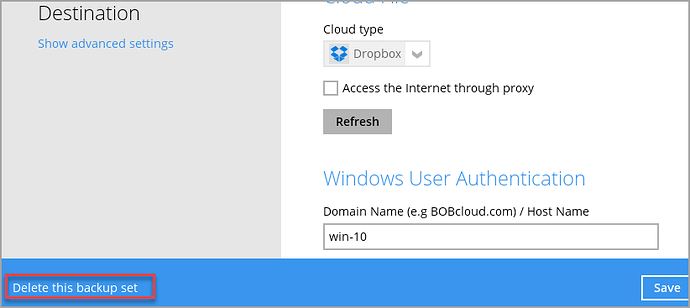
- Repeat for each backup set.
- When all the backup sets are deleted, delete the account in the portal: https://portal.bobcloud.net/
Note: deleting a backup set removes its data from your storage immediately, and we can’t recover it. Soft delete on your storage can’t be used to recover the backup set or its data either.
What if I deleted the account in the portal before deleting the backup sets?
The backed-up data stays in your storage and must be deleted manually. Each backup set has a unique 13-digit ID, which you can find in any of the backup set’s logs, so you can identify its data in your storage.
If it isn’t clear which data to delete, contact us and send us the config files and logs described in Location of the backup software logs.