Error
A backup fails at the start with Error initializing bptree. This can stop any type of backup, including offsite backups. The logs usually show more detail, for example this file backup to Google Drive:
[BlockDB.init][Exception] Error initializing bptree, C:\Users\admin\temp\1527147244448\GDrive@1527147662199\bfTable.bdb, Error=[Bptree.init] Failed to create 'C:\Users\admin\temp\1527147244448\GDrive@1527147662199\bfTable.bdb' because it exists already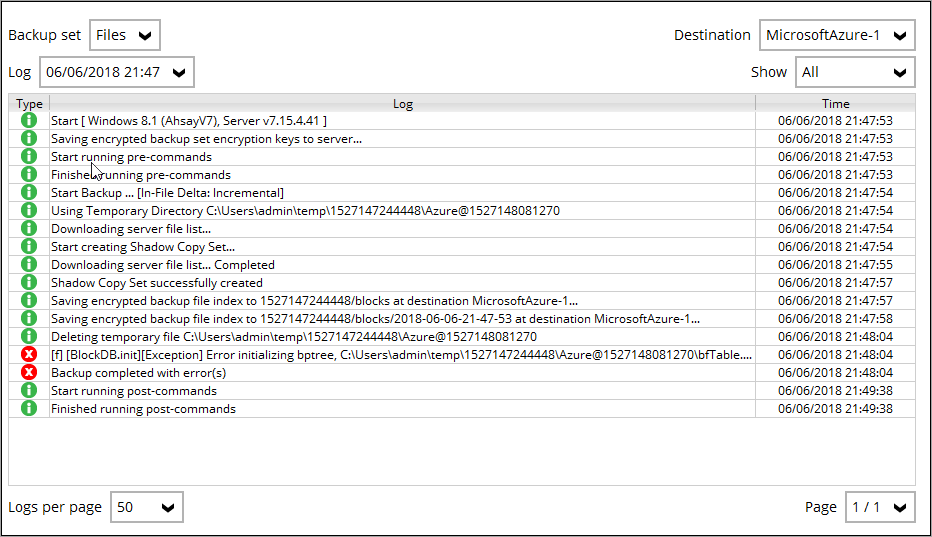

Cause
The backup creates temporary and index files on the device, and these have become corrupted. This usually happens when a backup is stopped without warning (a reboot, or a system or application crash), or when the disk has errors.
Fix
- Stop all running backup and restore jobs.
- Close the BOBcloud software.
- Delete the contents of the backup set’s temporary folder:
%Temp_Folder%\%backupset_id%\OBS@id, where%Temp_Folder%is the temporary directory set for the backup set. In the example above, that is a folder underC:\Users\admin\temp. These files contain nothing important and are recreated on the next backup. - Open the BOBcloud software and run the backup again.
If the problem comes back, check the drive for disk errors, and check whether antivirus software is blocking or flagging the temporary files.