Overview
Our system sends out backup alerts between 07:00 and 08:00 every day. You can also enable alerts when a backup set finishes running.
How to add new alerts
These are done at the backup account level and not for each individual backup set.
- Log in to the reseller portal @ https://portal.bobcloud.net/
- Click Customers → View Customers
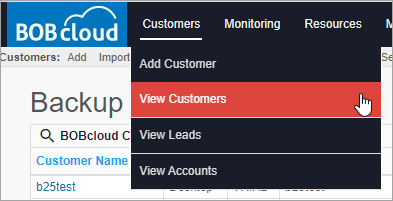
- Click your customer.
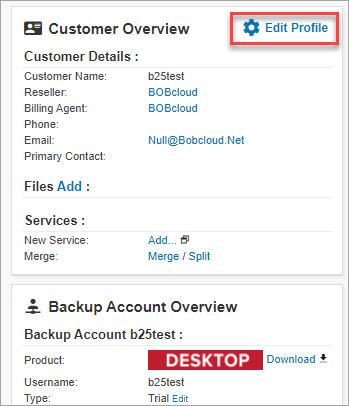
- Click Edit Profile in the top right of the customer’s page when it loads.
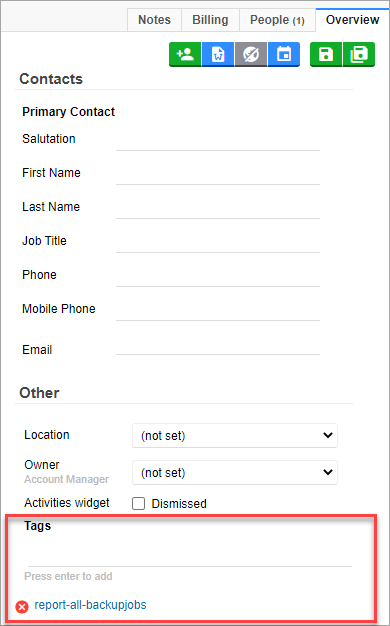
- In the Tags section, type report and select report-all-backupjobs when it is displayed.
- Save the page by clicking the double green floppy icon in the top right.
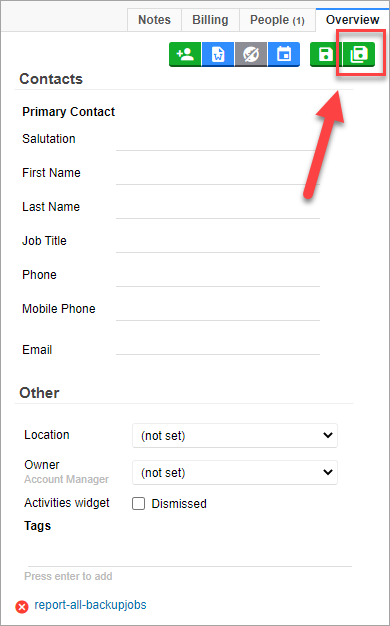
That is the alert set.
The system can take up to 15 minutes to send the alert after a backup set finishes.