Overview
A data integrity check (Rebuild Index) checks a backup set’s index files and repairs them. Run it when you see one of the errors listed at the bottom of this page. You can also run it to correct the storage size reported for a backup set.
Before you start
- The check can’t start while the backup set is running. Temporarily turn off the backup set’s schedule, so a backup doesn’t start during the check.
- The check can take a long time. How long depends on the number of files and folders in the backup set, the device’s disk and CPU speed, and whether other heavy jobs are running.
Run the data integrity check
- Open the BOBcloud software on the device the backup set runs on.
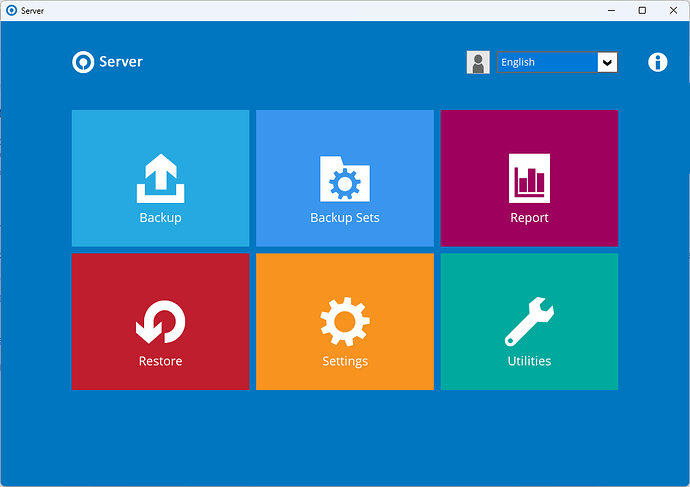
- Click Utilities.
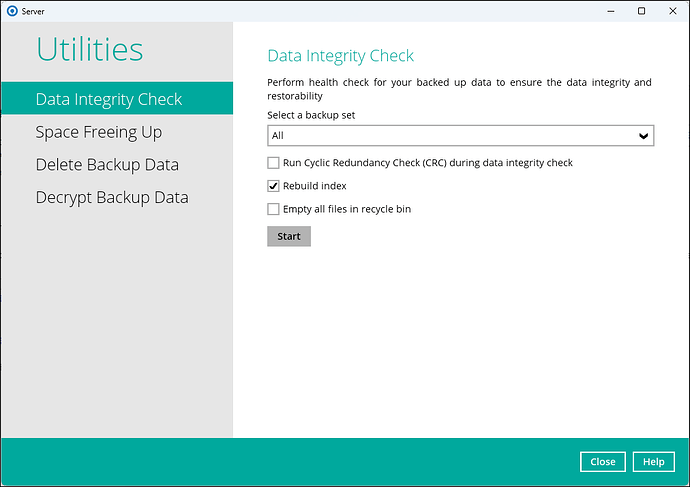
- Choose the backup set, then the backup destination.
- Tick Rebuild Index only. The other options are for features we don’t use, and ticking them makes the check take much longer.
- Click Start.
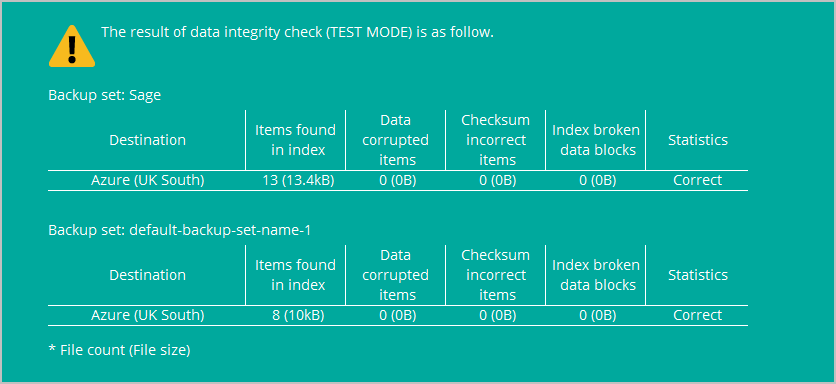
- Wait for this message, which shows the check is complete.
- Turn the backup schedule back on, and run the backup again.
If the problem persists
- Close the BOBcloud software, including its icon in the system tray at the bottom right of the screen.
- Find the backup set’s temporary folder: edit the backup set and click Show advanced settings → Others → Temporary Directory. The default is
C:\Users\<username>\temp. Delete the contents of this folder. - Run the backup again.
- If it still fails, change the Temporary Directory to a different folder, ideally on a drive with plenty of free space, and run the backup again.
- If it still fails, raise a support ticket. Attach a screenshot of the data integrity check result and the logs described in Location of the BOBcloud Server and Desktop software logs.
Errors that need a data integrity check
Run a data integrity check if the backup log shows any of these errors.
Failed to initialize RemoteBDB.Cloud. Error=[BlockDBConfig.readConfig] unknown default path for creating new journal file config: 0Unable to do Offsite backup, Error= [BlockDB.init] Error initializing bptreeSee also Error initializing bptree.
Failed to initialize RemoteBDB.Cloud. Error=Fail to remove corrupted index[BackupSetCmd.uploadBackupFiles][java.lang.RuntimeException] Error=[RuntimeException] [BackupFileIterator.Combined.hasNext] Throwable=[Bptree.KeyRangeIterator.hasNext] Error=[ABlock.parse] Cannot parse fileSee also Bptree.KeyRangeIterator.hasNext: Cannot parse file.
Failed to initialize RemoteBDB.Cloud. Error=[SQLITE_ERROR] SQL error or missing database (table info already exists)This last error has been reported since March 2020, when the index files changed from a flat-file format to an SQL database.