See hardware and software
Each machine also reports what it is and what is installed on it. These are readings only: nothing on either page passes or fails, nothing sends an alert, and none of it appears in an evidence pack.
They answer questions such as "which machines have no TPM" or "who still has Java", and leave the judgement to you.
Hardware
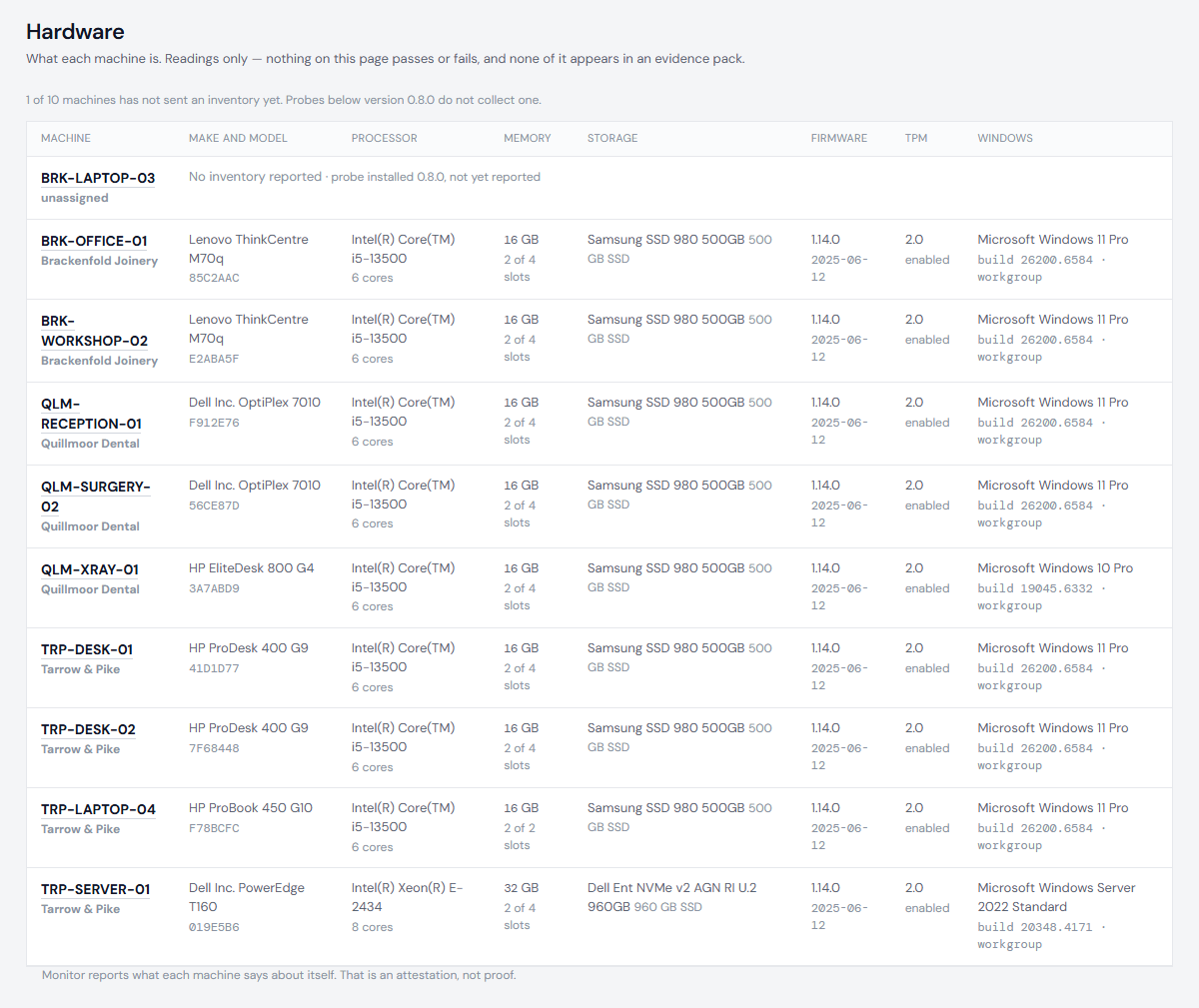
Hardware lists every machine with its make and model, processor, memory, storage, firmware, TPM and Windows version. It reports what the machine says, such as "8 GB", without a verdict on it.
Software
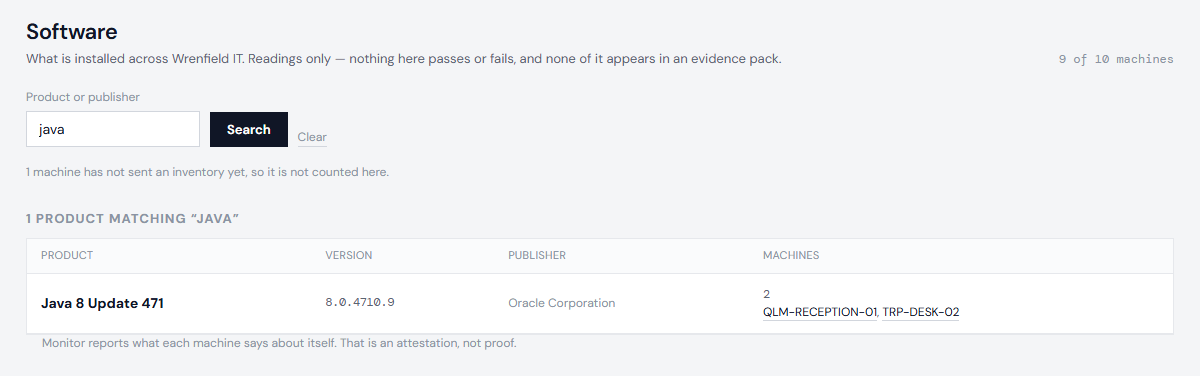
Software lists every product installed across your machines, with its version, publisher and the number of machines that have it. The first few machine names are listed, and each one opens that machine.
- Search by product or publisher, for example
javaoradobe. - Products installed for one Windows user only are marked per-user install. Apps from the Microsoft Store are marked store app.
- The count at the top says how many of your reporting machines have sent an inventory. A machine that has not sent one yet is not counted. If one machine reports more products than the probe lists in detail, the page says so, and the counts stay exact.
A machine's own page shows its hardware and software too.
If a page is empty
A machine sends its inventory with its checks. If nothing has arrived, the machine may not have reported since it was installed, or its probe may be too old to collect one. Software says which version is needed. See Enable automatic updates or Install the probe.
Next: Silence an alert