Silence an alert
A silence stops the alert emails about something, for everyone on your account, and records why. Use it when a result is known and accepted - for example, "the firewall is off on purpose: this machine sits behind a hardware firewall".
What a silence does, and does not do
- It stops alert emails about that machine, client or check, for everyone.
- It never stops the check. The machine still reports, the failure still shows in red in the portal, and it still appears in evidence packs - with the silence and its reason beside it.
- Give it a reason if you can: everyone on your account sees it, and so does an assessor reading an evidence pack. One with no reason shows as "No reason given".
- It can end on a date, or have no end date.
Only an owner can create or end a silence, because it is a statement the business makes about its estate.
Create one
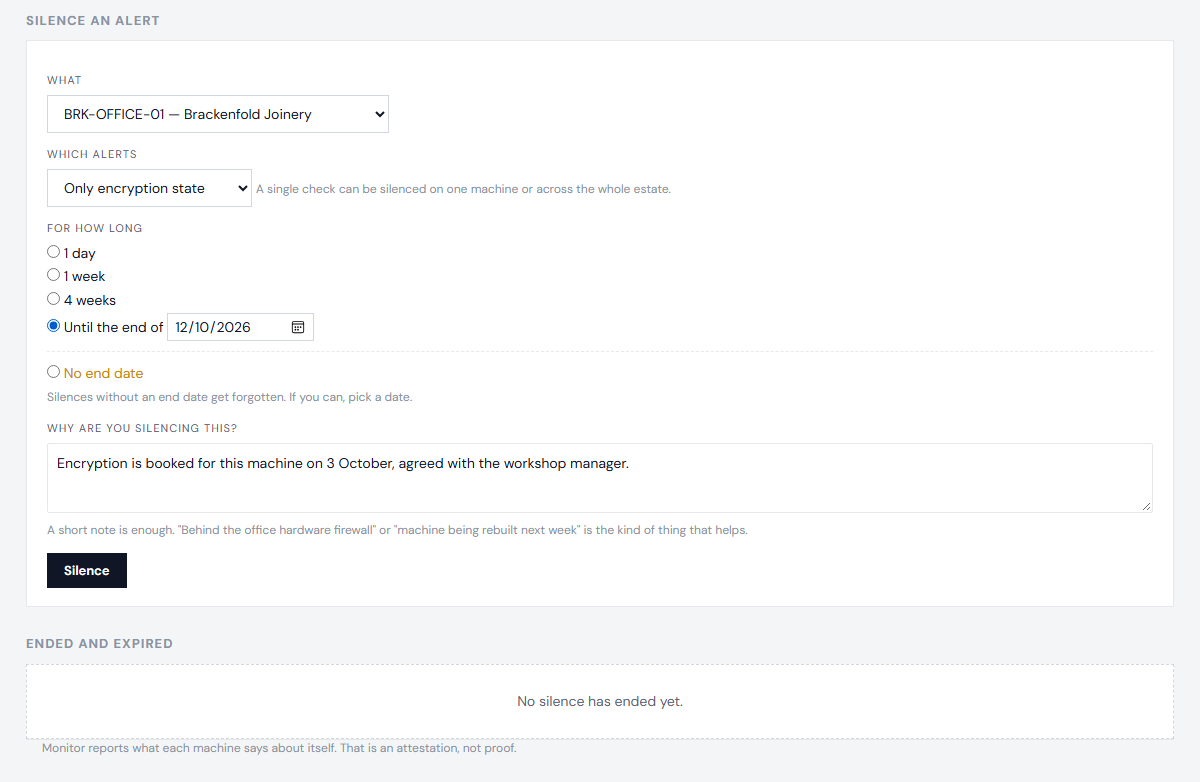
- Open the machine, and choose Silence beside the failing check - or open Silences and choose what to silence: the whole estate, one client, one machine, or one check.
- Say why.
- Choose how long.
End one
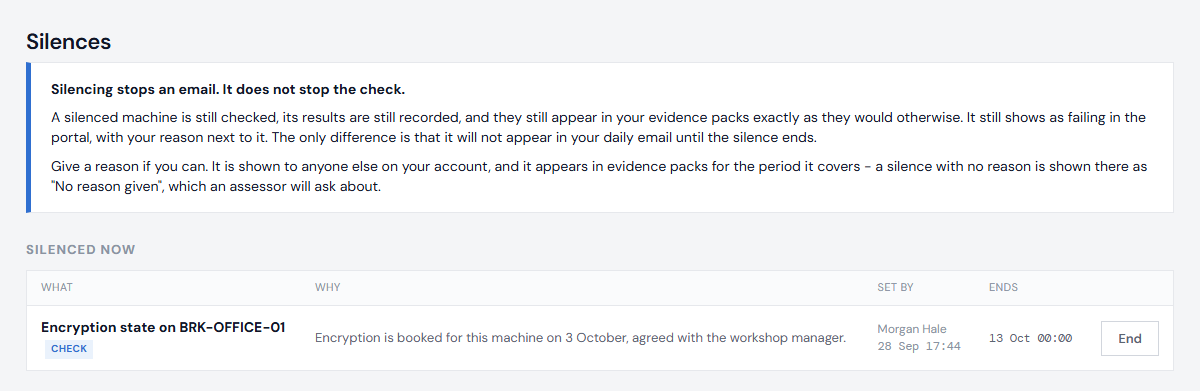
On Silences, or on the machine's page, choose End. Alerts resume from the next daily email.
Only want to stop your own emails?
That is not a silence - see Choose your alerts. Anyone can stop their own emails about a machine or a check, for up to 90 days, without changing what anyone else receives.
Who can do what: see Logins and roles.
Next: Choose your alerts