When a probe stops reporting
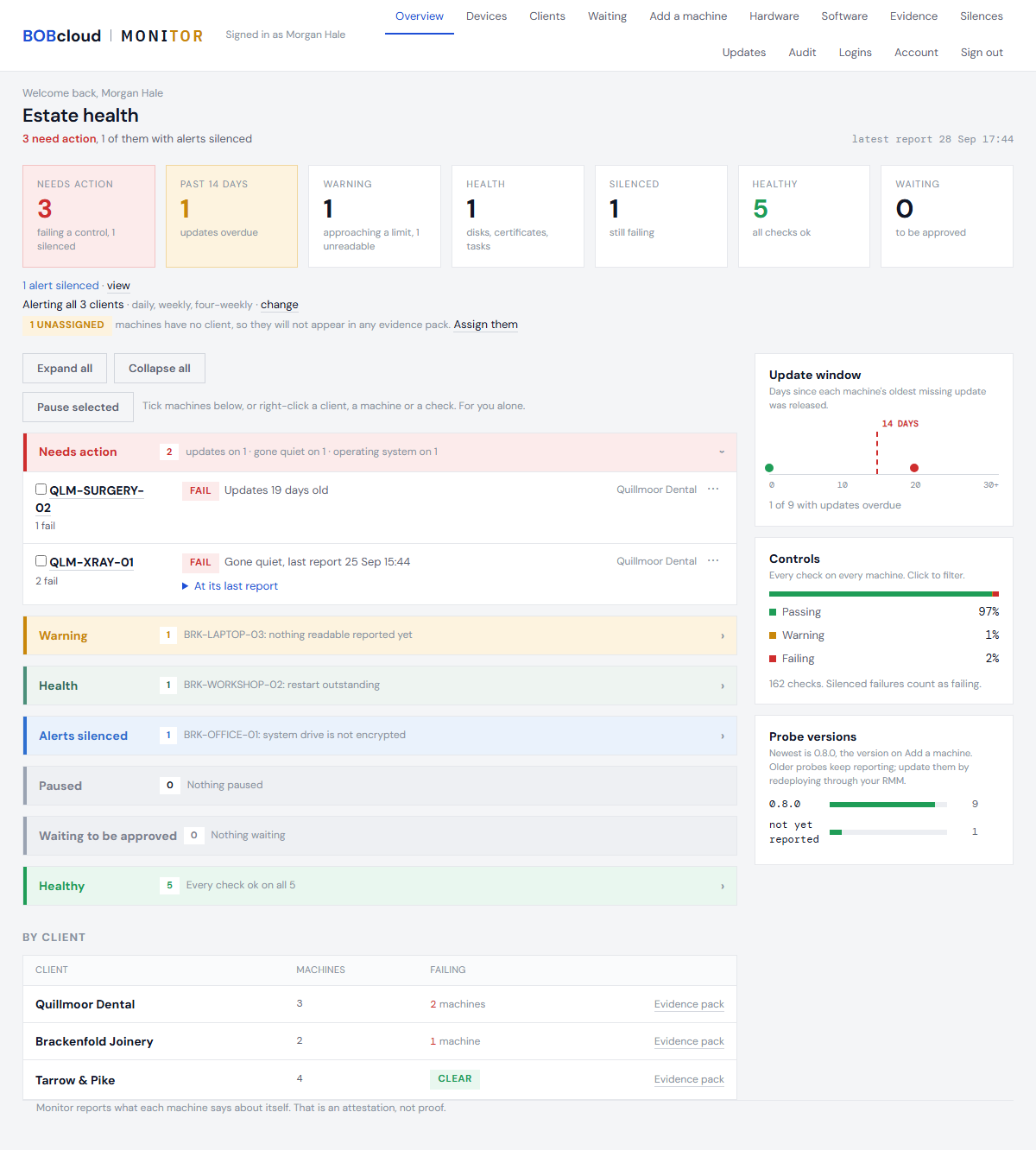
A machine that has not been heard from for 6 hours shows as late; after 40 hours it fails its check-in and appears under Needs action. Its other readings stay on screen, marked as the last thing it said.
The machine's own page, in the portal, says when it was last heard from and what to run.

1. Rule out the obvious
- Is the machine switched on, awake and connected?
- Was it rebuilt or reinstalled? A rebuilt machine needs the probe installed again.
- Was it retired? If so, revoke it - see Approve a machine.
2. Collect diagnostics
On the machine, open PowerShell as an administrator and run:
powershell -ExecutionPolicy Bypass -File "C:\Program Files\BOBcloud\Monitor\Send-MonitorPost.ps1" -Diagnostics
It writes one file and says where. Send that file to whoever supports the machine. Secrets, SIDs and user names are taken out of it. See Collect diagnostics for what is in it.
If PowerShell answers A parameter cannot be found that matches parameter name 'Diagnostics', the probe installed on this machine is older than the command - machines keep the probe they were installed with until someone installs it again. In that case send its log instead: C:\ProgramData\BOBcloud\Monitor\agent.log, and agent.log.1 if there is one.
On a Linux machine, run:
sudo systemctl status bobcloud-monitor-agent.timer
sudo tail -n 50 /var/log/bobcloud-monitor/agent.log
The first says whether the hourly timer is running; the second, what the probe said at its last runs. Send both. Running the installer again repairs the timer, the files and the credentials - see Install on Linux.
3. Read what it says
| What the file or log shows | Likely cause |
|---|---|
name does not resolve | DNS: the machine cannot look up the collector. |
The name resolves, then ConnectFailure or timed out | A firewall is blocking outbound HTTPS. See Firewall requirements. |
TrustFailure, or a certificate issuer that is not the collector's | A proxy is inspecting TLS. See Firewall requirements. |
HTTP 401 or HTTP 403 | The machine's credentials were refused, or it was revoked. Run the installer again. |
The scheduled task is disabled, missing, or its last result is not 0x00000000 | The probe is not running. Run the installer again. |
The log shows run start every hour but never collected | An older probe waiting on a stuck part of Windows - usually Windows Update. Install the current probe: it gives up on a stuck check after a time limit, reports it as timed out, and sends everything else. |
can write the state folder: NO, or access denied | Not enough rights, often security software. See What to tell your EDR. |
4. Reinstall if in doubt
Running the installer again, as an administrator, repairs the task, the files and the credentials without losing the machine's history. See Install the probe.
Next: Collect diagnostics